Audio Response
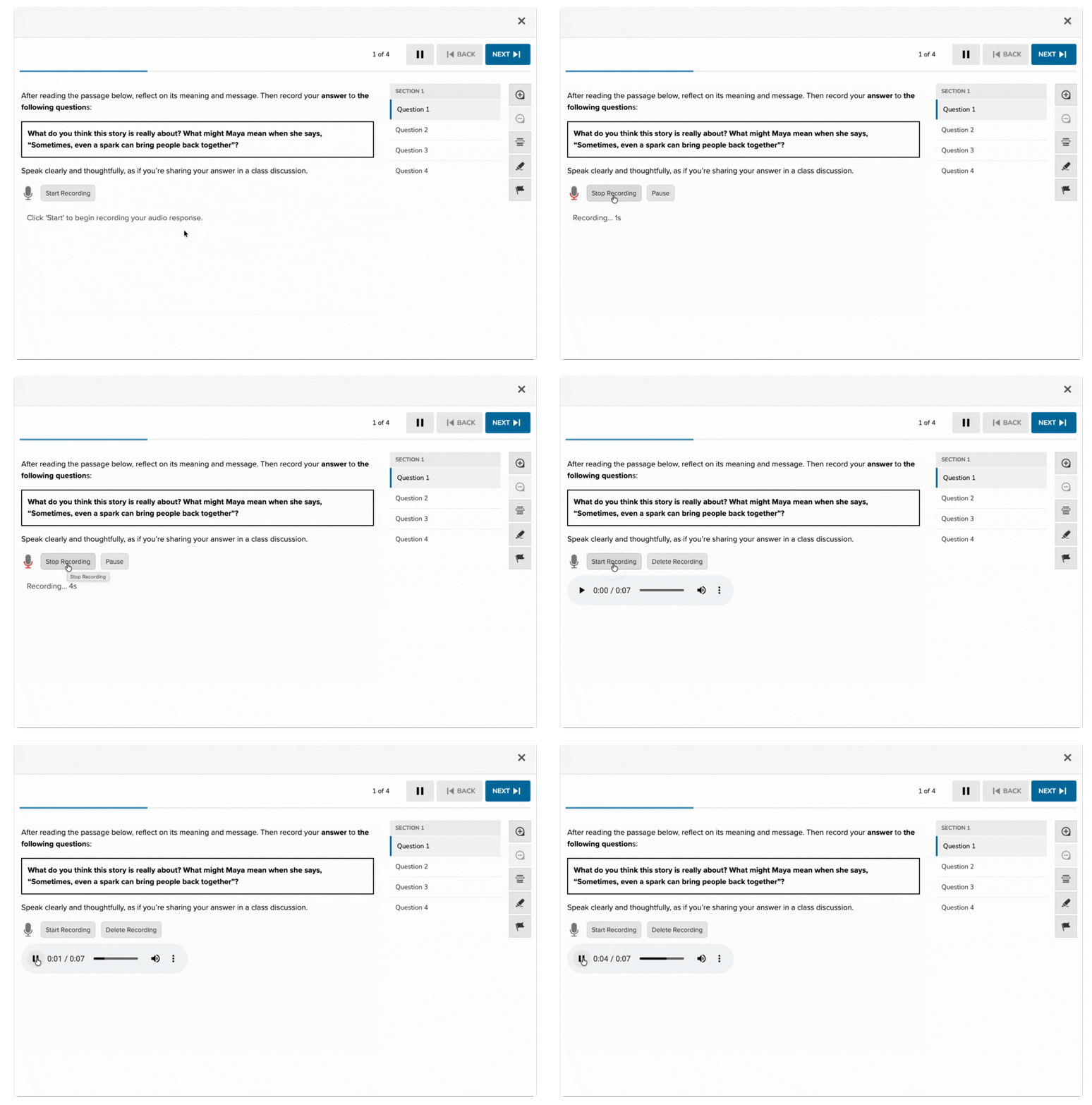
The Audio Response item type allows students to record an audio response directly within the Campfire Classroom. While especially useful for evaluating speaking, pronunciation, and oral fluency, this item type also extends the ways students can express their thinking, offering an alternative to written responses. Audio Response items are ideal when assessing reasoning, reflection, or understanding in a spoken format, making them well-suited for diverse learners and tasks where verbal explanation is more effective or accessible. These responses are manually scored by teachers.
Key Characteristics
- Presents a prompt that asks students to speak, respond verbally, or provide an oral explanation.
- Students can record audio directly into the assessment player.
- Manually scored by teachers; not auto-scored.
- Useful for assessing oral fluency, pronunciation, spoken reasoning, or presentation skills.
Instructional Connection
Audio File items support oral expression and listening-based assessment strategies. They are particularly useful for:
- Language learning (e.g., world languages, ELL/ESL)
- Speech and debate activities
- Verbal responses in early grades, where writing skills are still developing
- Assessments focused on pronunciation, tone, or spoken structure
This format fosters authentic speaking tasks that allow students to demonstrate understanding, fluency, and verbal reasoning in their own voices.
Authoring an Audio Response Question
Access the Question Editor
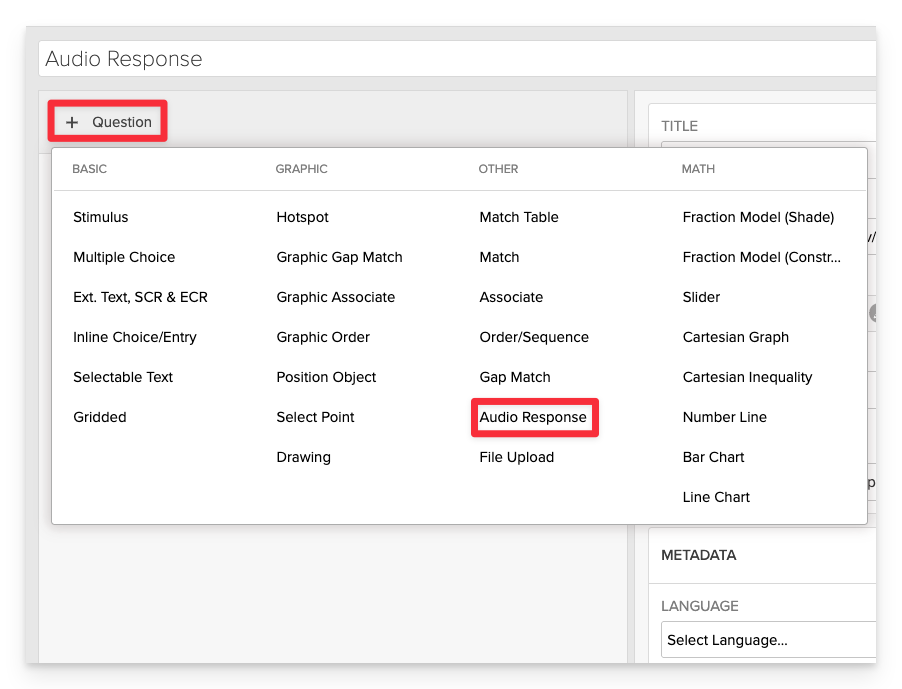
From the item editor, click on:
- Click on +Question.
- From the list of question types, select Audio Response.
Enter the Prompt
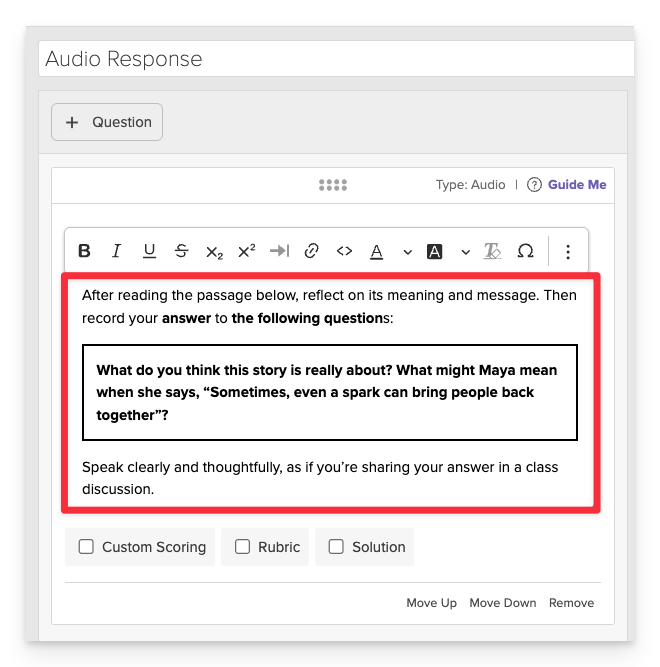
In the Prompt field, provide a clear task or question to which the student can respond.
Scoring Configuration (Optional)
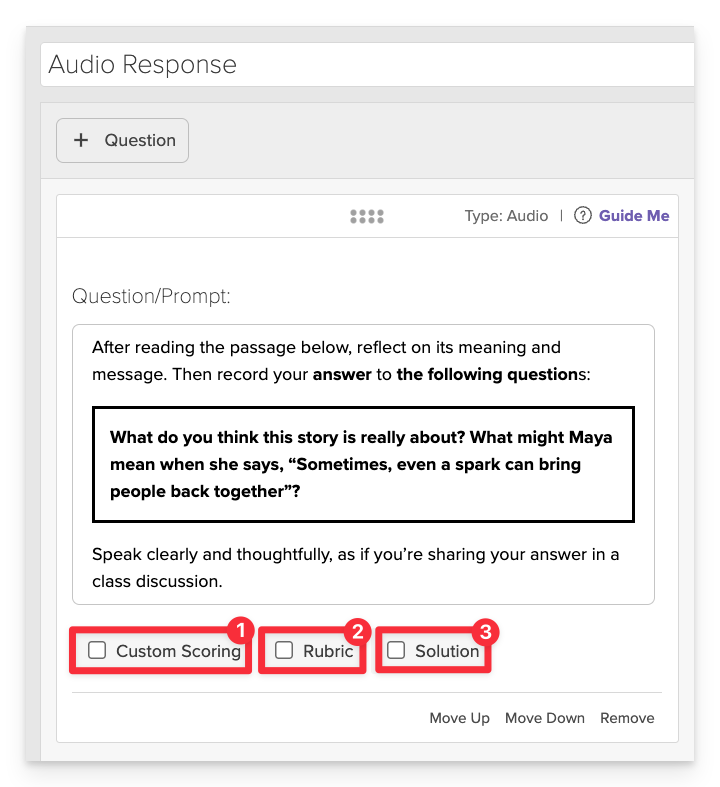
Audio Response items are manually scored by teachers, however authors can provide guidance on scoring parameters via the following:
- Custom Scoring - Define how many points the item is worth.
- Rubric - Provide a scoring rubric to outline key criteria and performance levels, ensuring consistency across scorers.
- Solution - Provide a model or sample response to guide teacher scoring. This is for internal use and not shown to students.
Save the Item
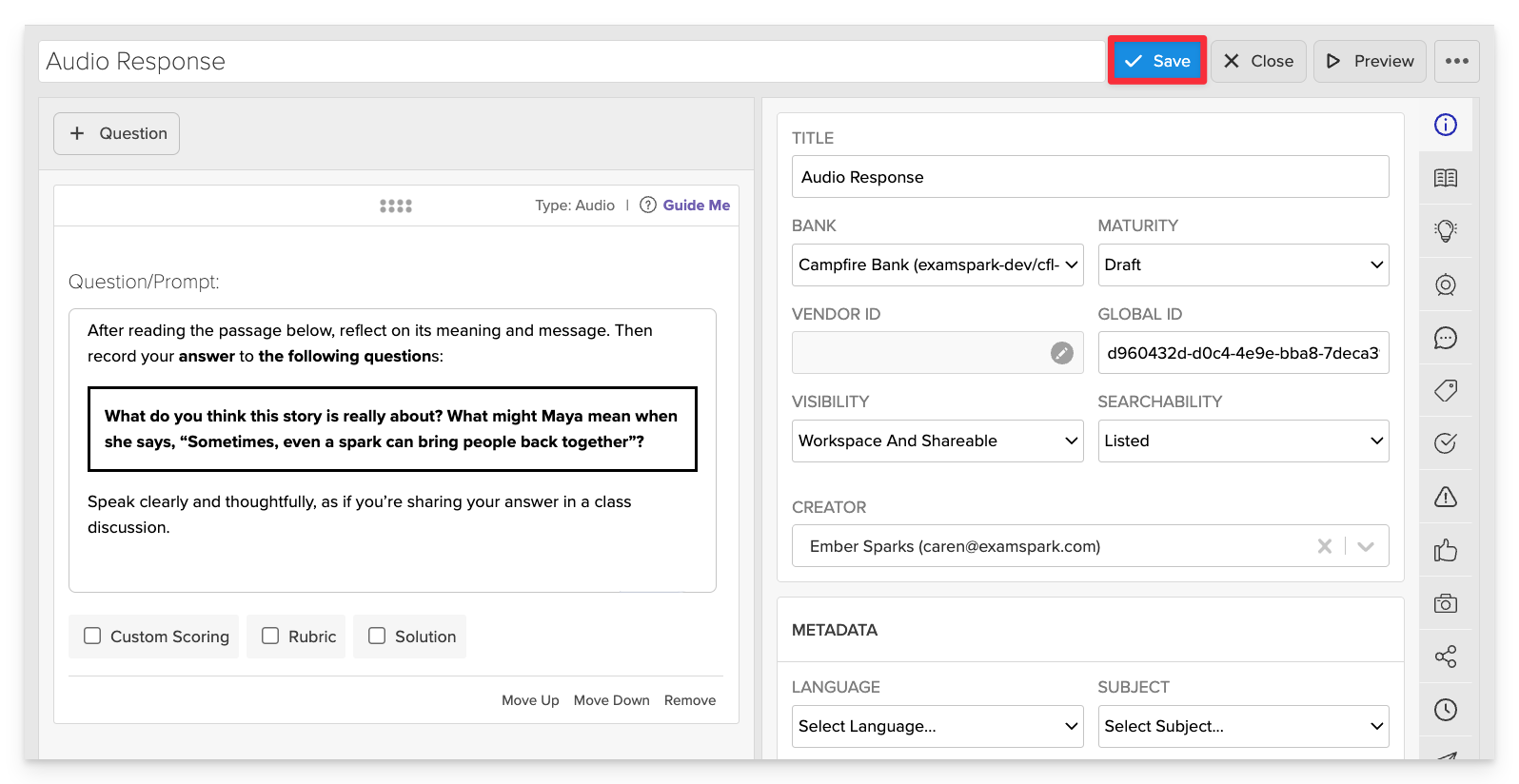
Click Save to store your item in Studio.