Custom scoring
Custom scoring options give content authors the ability to customize weighted values to various answer choices/distractors.
Press the +Question button
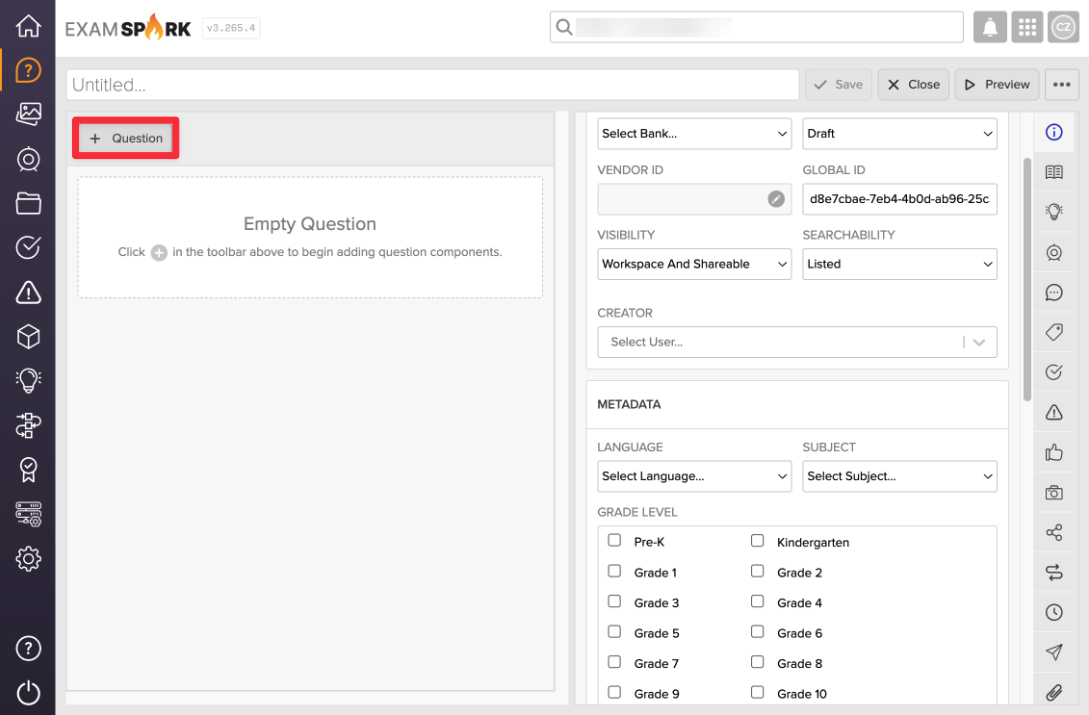
Start by adding a new question in the item authoring window.
Select an item type that allows for custom scoring
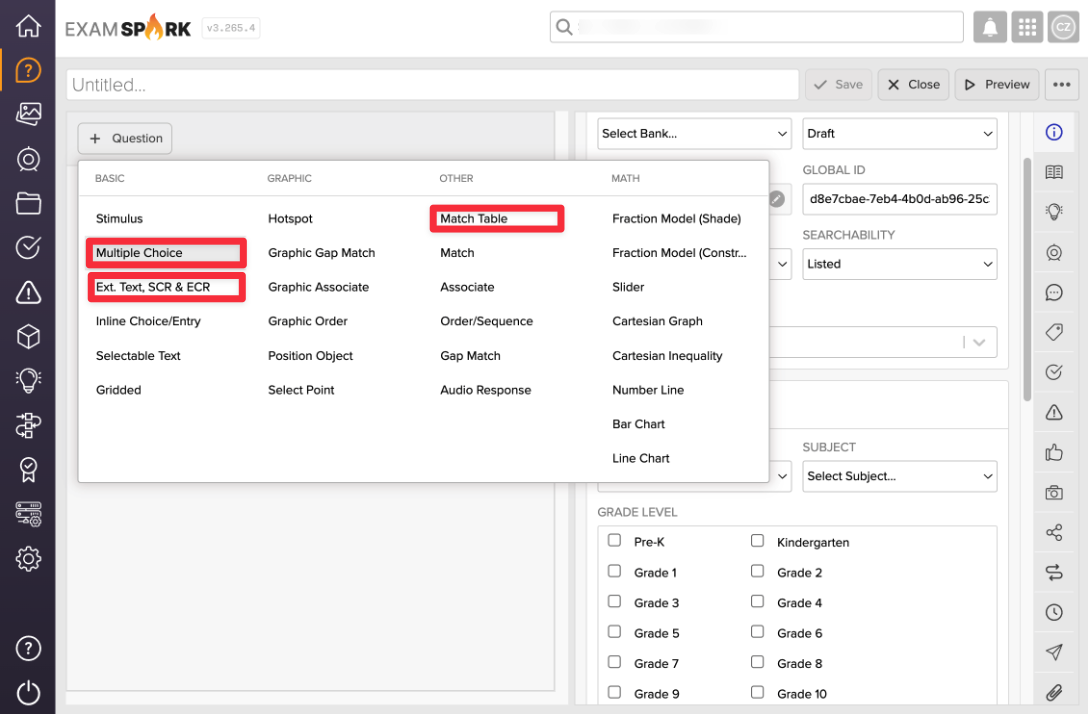
Currently, Multiple Choice, Extended Text, SCR & ECR, and Match Table Grid allows an author to set custom scoring options.
Select Custom Scoring
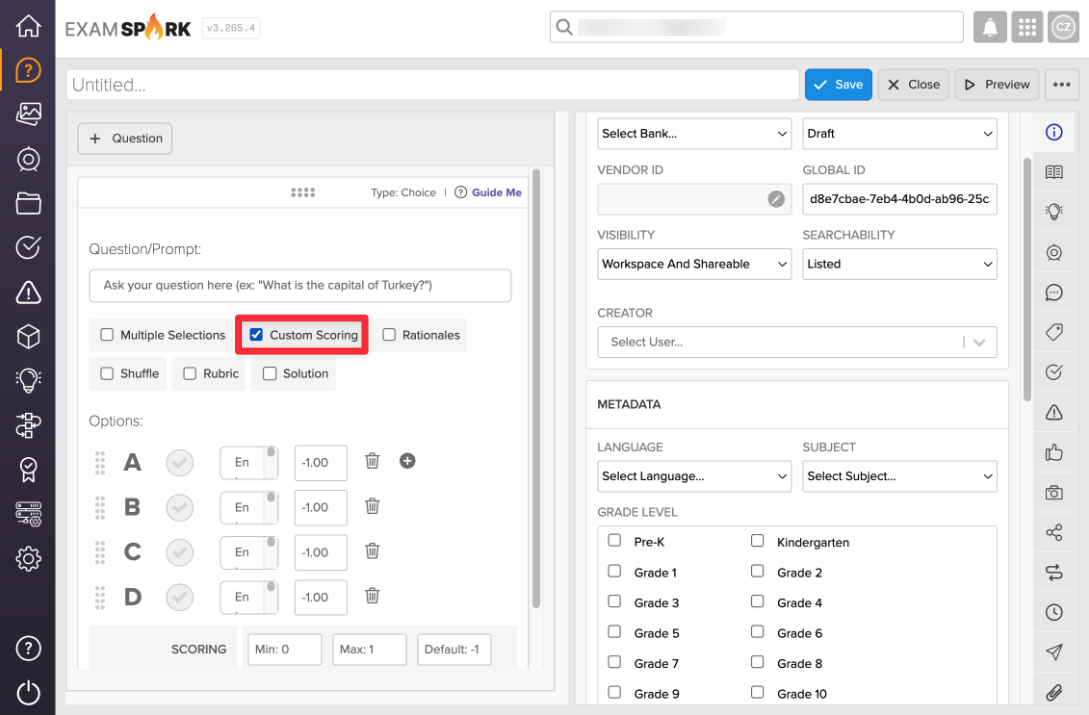
Under the question prompt, select Custom Scoring to enable point customization.
Enter desired scoring parameters
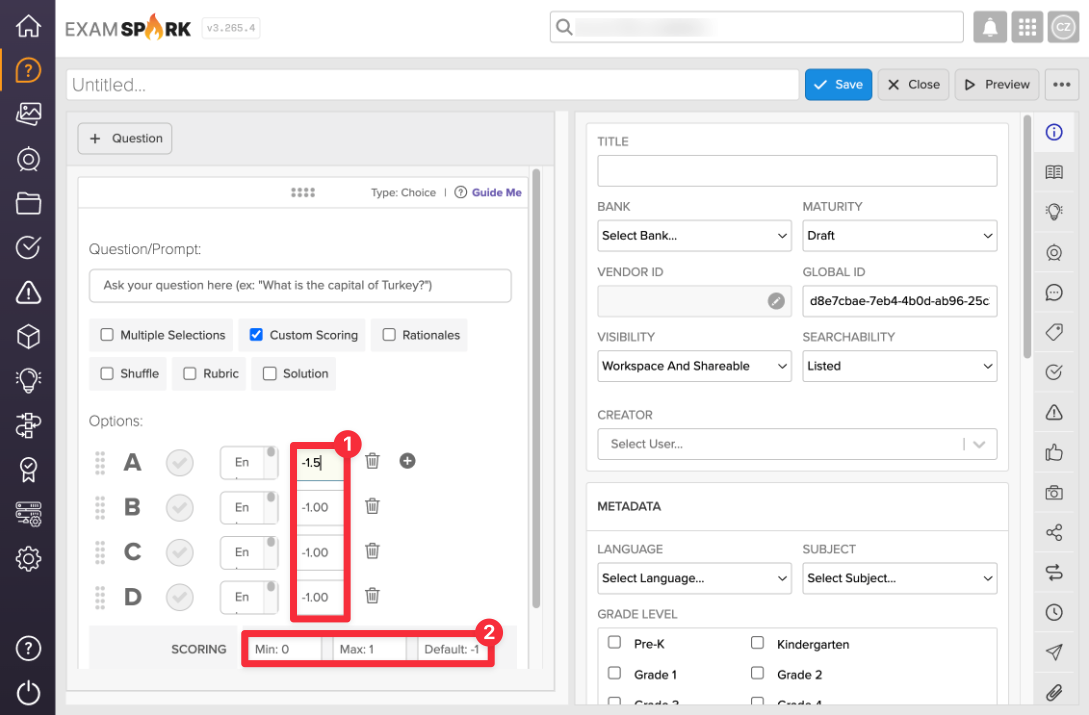
Using the input fields activated after selecting Custom Scoring, you can [1] apply custom scoring values for each answer choice and [2] set the Min, Max, and Default values.
Be sure to preview and test your scoring parameters in the Preview screen to ensure they align with your intended point values.