Google Workspace for Education
Before teachers can use any ExamSpark applications in their Google Classroom, a Google Workspace for Education Administrator must first pre-approve ExamSpark as a Trusted App. This process only needs to be completed once, and will enable all teachers to use any ExamSpark application in their Google Classroom.
Add ExamSpark as a Trusted App
Access the Admin Panel
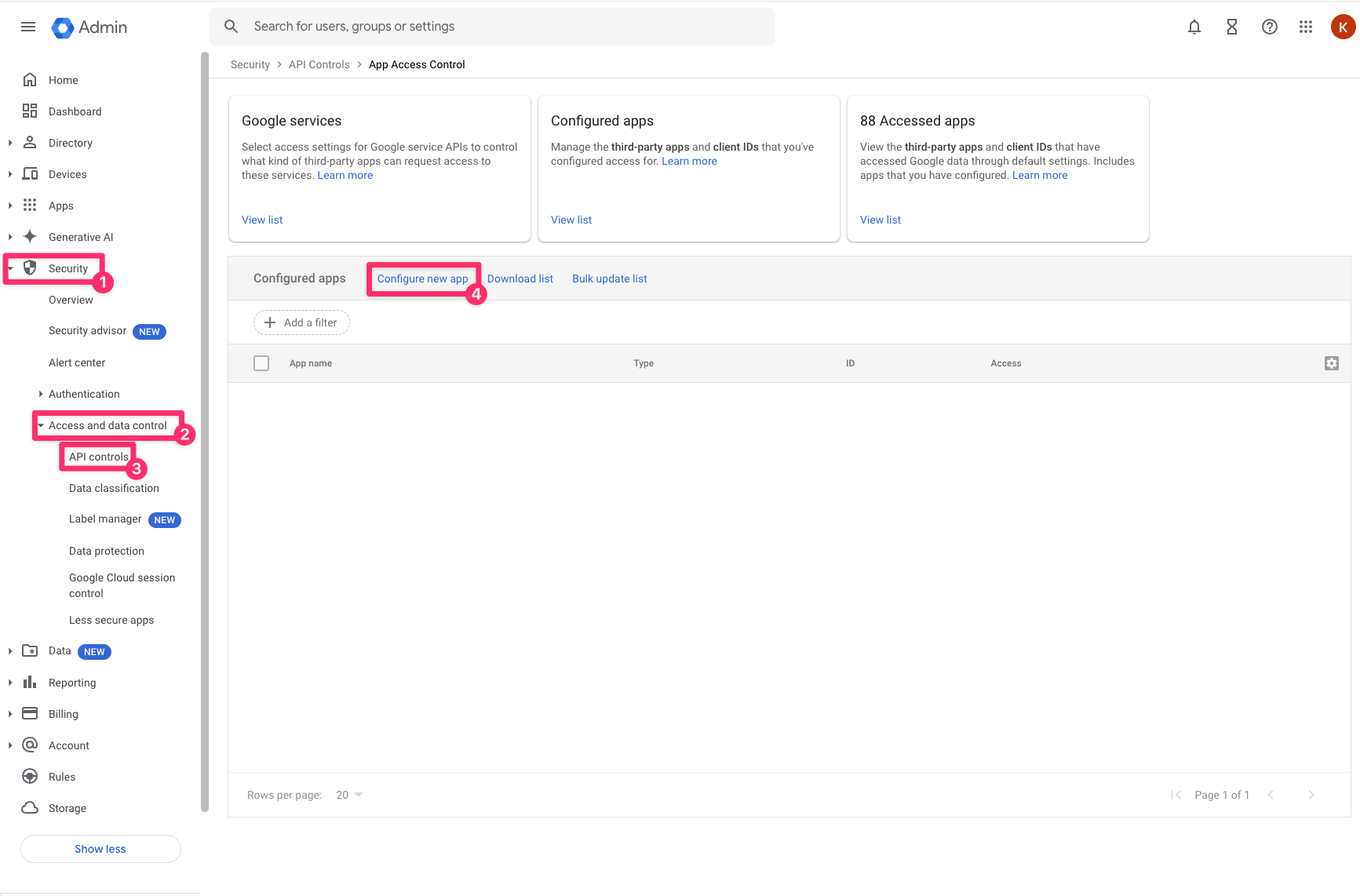
Log in as an administrator at https://admin.google.com. In the left navigation panel press Security [1], then Access Data and Control [2], then API Controls [3]. In the center, press Configure new app [4].
Search for ExamSpark
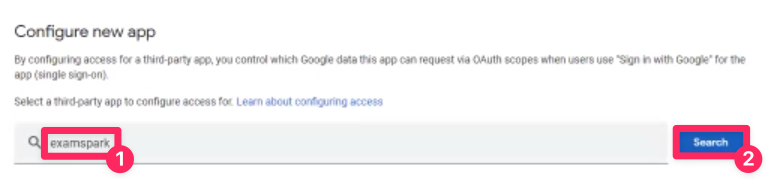
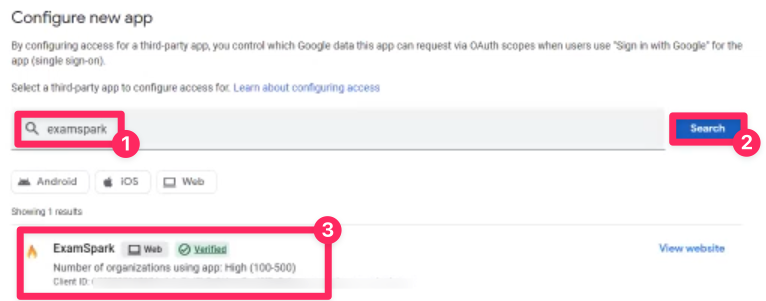
In the search box, enter ExamSpark [1] and press Search [2]. Press ExamSpark in the search results and then press Select.
Set the Scope
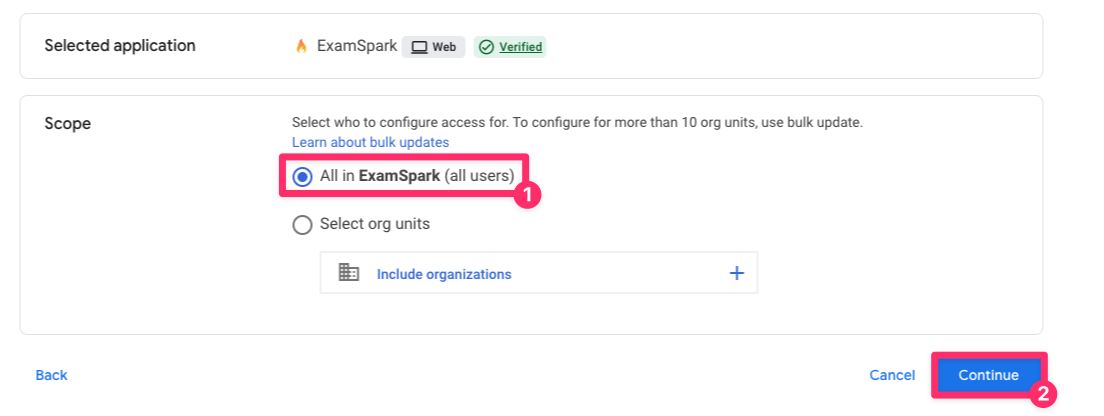
Select [YOUR ORGANIZATION] (all users) [1]. Press Continue [2].
Set Access to Google Data
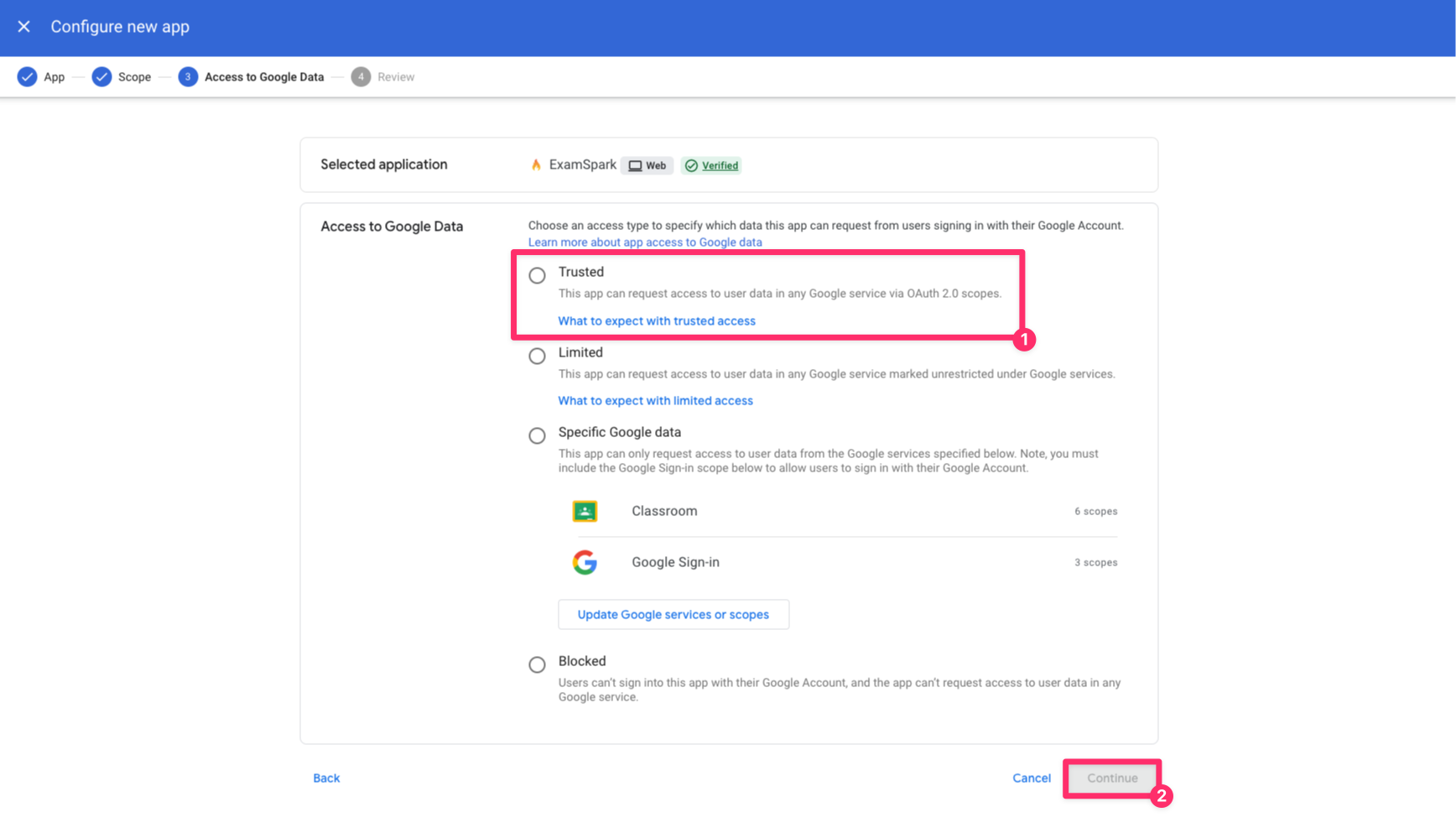
Select Trusted [1]. Press Continue [2].
Complete Approval
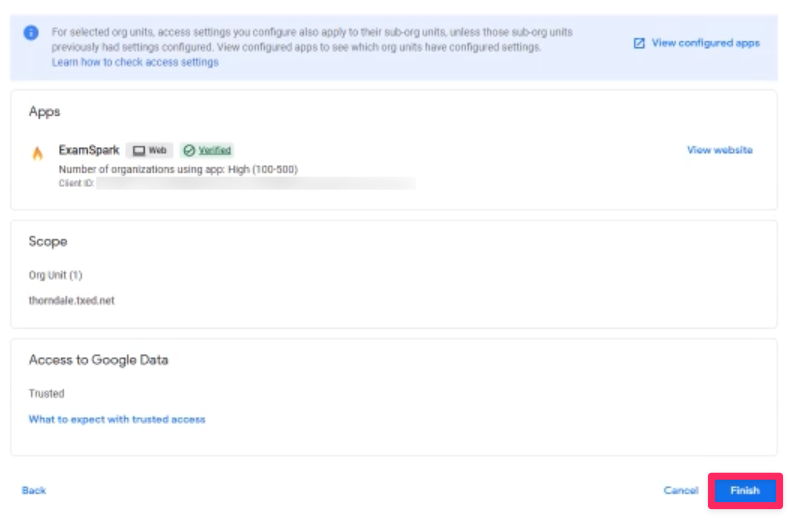
Verify settings are correct, then press Finish. Finally, press Confirm on the Confirm parental consent modal.
Check Configured Apps
All done! You can verify you have successfully configured ExamSpark as a Trusted App by viewing the Configured ****Apps list.